The Statement · Issue #4
Jul 2026
Longer statements, scanned checks, and a Claude Code plugin

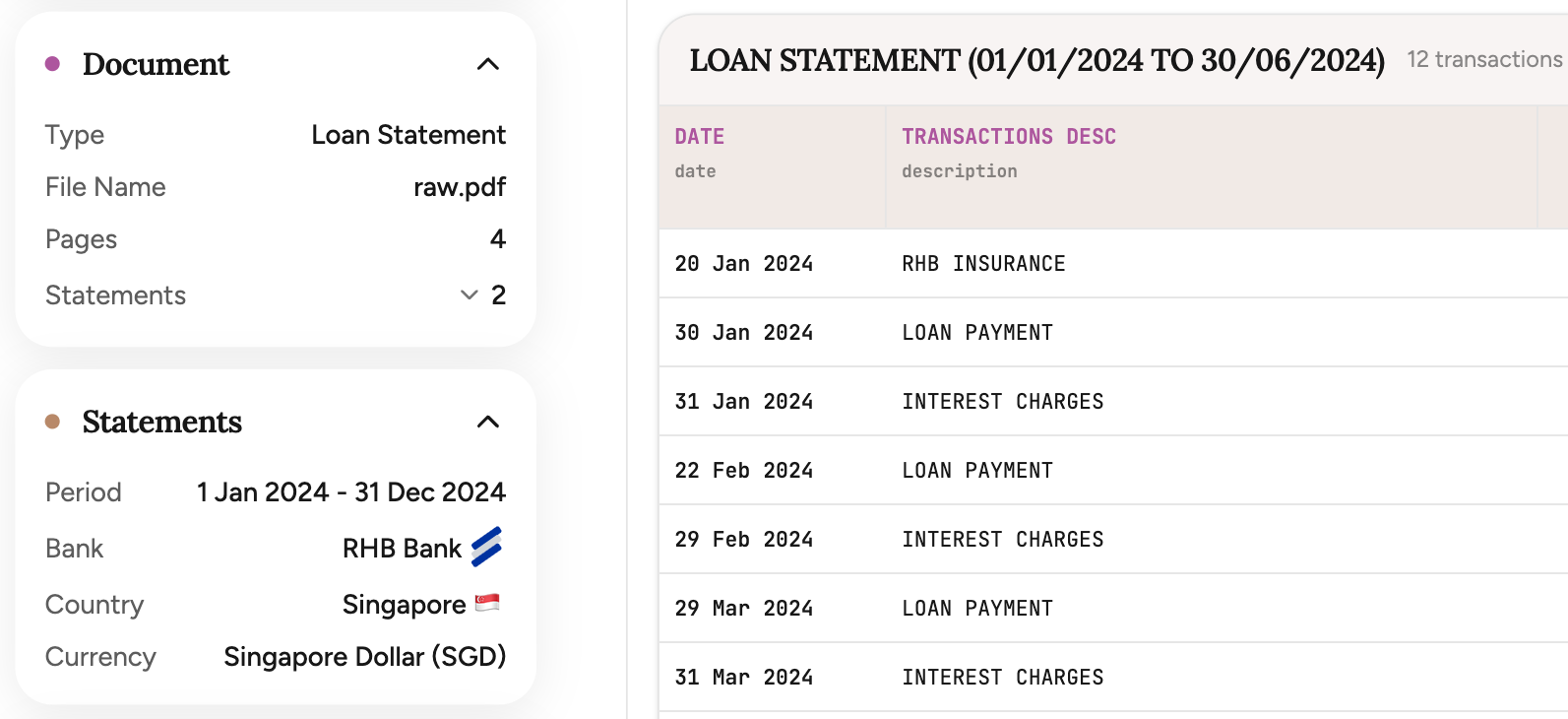
This month is about the statements we could not handle cleanly before. Bankstatemently now recognizes when a PDF holds several statements and converts every transaction accurately, reads the scanned checks and deposit slips that plain text leaves blank, takes files up to 50 pages (up from 20), and ships a Claude Code plugin you install in one command.
| Update | +/– |
|---|---|
Several statements in one PDF When a file holds several statements, Bankstatemently recognizes each one and converts its transactions accurately, each with its own tabs, totals, and export. | + |
Scanned checks, slips, and forms It now reads imaged checks, deposit slips, and debit forms inside your statement to fill in transaction detail that plain text leaves blank. | + |
Longer statements A single upload now handles up to 50 pages, up from 20. Available on the Pro plan (US$50/month). | + |
| Update | +/– |
|---|---|
A Claude Code plugin Install the plugin in one command and convert statements straight from Claude Code. MCP and a REST API are there for everything else. | + |
More from the blog
How updating our logo turned into a generative design system
Something a little different this time. This one starts with a logo update and ends somewhere we did not expect.
By Michael DuyvesteijnHow Bank Statement Analysis Improves Lending Decisions
Bank statement analysis gives lenders a current, transaction-level view of repayment capacity. Credit reports show borrowing history. Statements show whether cash actually arrives, stays, and covers the next obligation.
By Michael DuyvesteijnHow to Automate AML Bank Statement Review
AML bank statement review is evidence work. Automation helps when it extracts transactions accurately, normalizes them consistently, screens for specific risks, and preserves a clear audit trail for every alert.
By Michael Duyvesteijn