The Statement · Issue #2
Apr 2026
Convert a folder of statements, not just one PDF

The homepage has been refreshed around what Bankstatemently is becoming: not a one-off PDF demo, but a workflow for messy, real-world bank statements.
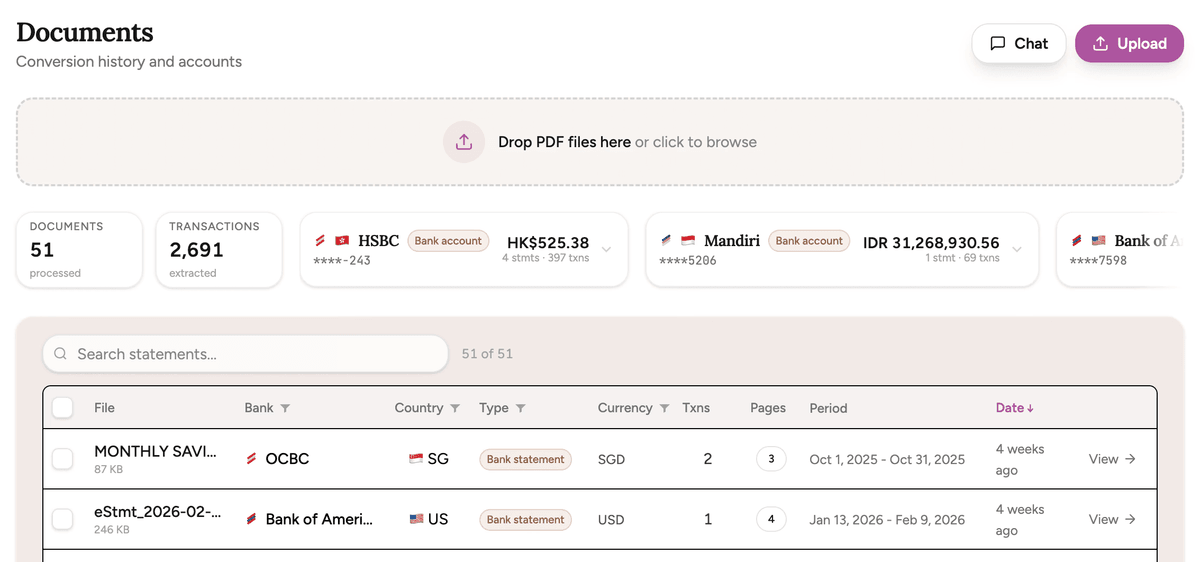
| Update | +/– |
|---|---|
Multiple statements Upload more than one statement in a session instead of converting PDFs one by one | + |
Dashboard organization Keep previous conversions, detected banks, dates, and exports in one place | + |
One-file-at-a-time busywork Less manual stitching after downloading a pile of separate CSVs | – |
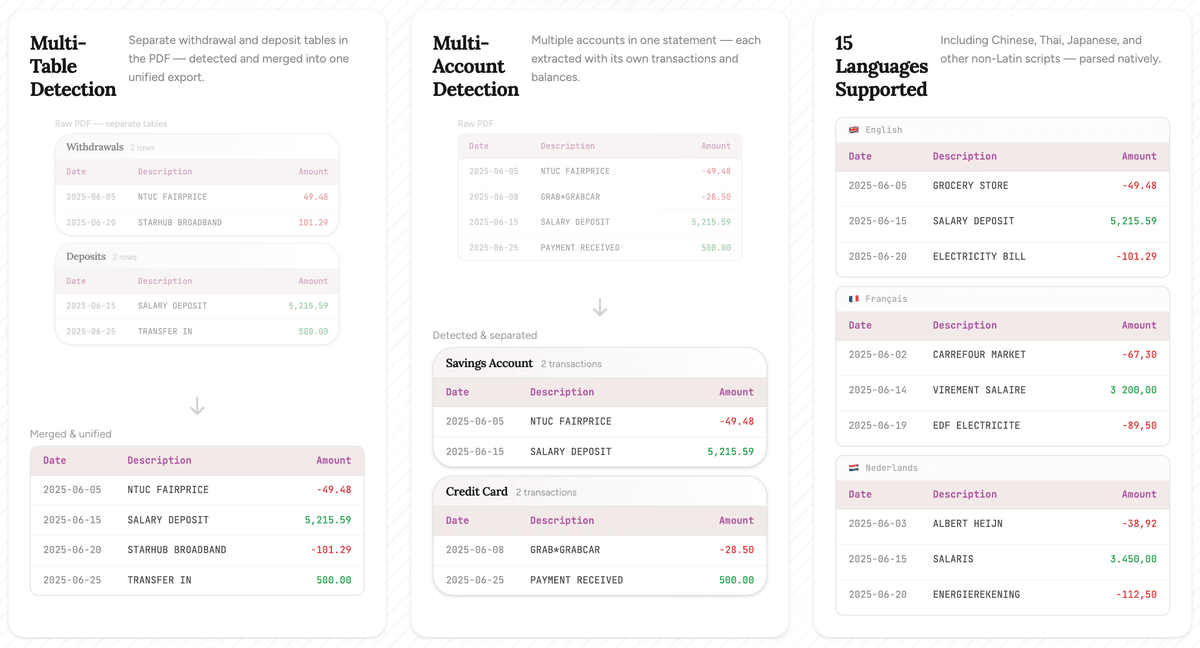
| Update | +/– |
|---|---|
Multi-table detection Separate withdrawal, deposit, card, or summary tables can be detected and normalized | + |
Multi-account extraction Multiple accounts or cards in one PDF can stay separated instead of becoming mystery rows | + |
Language-aware parsing Support keeps expanding across non-Latin scripts, bilingual layouts, and local date formats | + |
More from the blog
How updating our logo turned into a generative design system
Something a little different this time. This one starts with a logo update and ends somewhere we did not expect.
By Michael DuyvesteijnHow Bank Statement Analysis Improves Lending Decisions
Bank statement analysis gives lenders a current, transaction-level view of repayment capacity. Credit reports show borrowing history. Statements show whether cash actually arrives, stays, and covers the next obligation.
By Michael DuyvesteijnHow to Automate AML Bank Statement Review
AML bank statement review is evidence work. Automation helps when it extracts transactions accurately, normalizes them consistently, screens for specific risks, and preserves a clear audit trail for every alert.
By Michael Duyvesteijn